InDesign Fixed Layout ePub
Published on BellaOnline.com
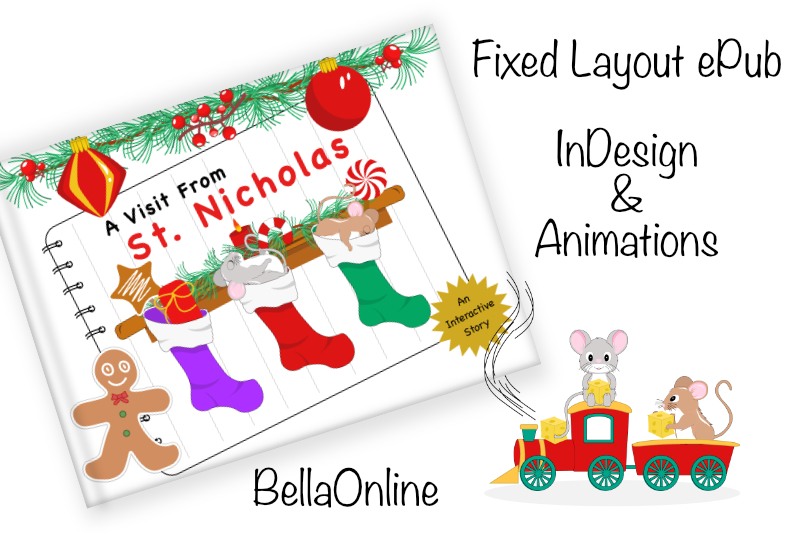
In this series of Adobe® InDesign® tutorials, we will be creating a fixed layout ePub that will contain interactive animations. The example ePub will be an animated version of The Visit from Saint Nicholas by Clement Clarke Moore, which is in the public domain.
Before we can begin our project, we need to make a few decisions. How will the reader view our ePub. What will be the dimensions for our ePub. What color mode will we use. What graphics do we need. Do we need cover art for our ePub. Do we need to include a table of contents.
As the purpose of the tutorials is to learn how to add animations in our InDesign project, we will be creating a fixed layout ePub. This is the best of the three options for exporting an interactive animations project from InDesign, which are the fixed layout ePub, the interactive PDF and Publish Online. As we want to explore the many animation options available in InDesign, our best choice is a fixed layout ePub.
Another consideration is how will the reader view the fixed layout ePub. We will be exporting our ePub so that our target audience can view it in the Apple Books app on the iPad®. Therefore, we will use the dimensions and color mode for the iPad with the retina display.
Most InDesign books have a table of contents but we really don’t need one. When we export our fixed layout ePub, InDesign will automatically create a thumbnail image for each page in the ePub. These small thumbnails will be displayed as a horizontal menu along the bottom edge of each page. However, if you prefer to have an interactive table of contents page, feel free to include one in your ePub.
When exporting your ePub from InDesign, you have the option to include cover art or InDesign can export the first page of your ePub as the cover image. In our project, we will be telling InDesign to use the first page as the cover.
As mentioned above, our ePub will have the dimensions for the retina iPad, as very few people still use the non-retina display iPad. Each page for our ePub will have a background image that covers the entire page and the other graphics on the page will be for the animations and interactivity. Again for the retina display, we will use the RGB color mode.
Before we can begin our project, we need to make a few decisions. How will the reader view our ePub. What will be the dimensions for our ePub. What color mode will we use. What graphics do we need. Do we need cover art for our ePub. Do we need to include a table of contents.
As the purpose of the tutorials is to learn how to add animations in our InDesign project, we will be creating a fixed layout ePub. This is the best of the three options for exporting an interactive animations project from InDesign, which are the fixed layout ePub, the interactive PDF and Publish Online. As we want to explore the many animation options available in InDesign, our best choice is a fixed layout ePub.
Another consideration is how will the reader view the fixed layout ePub. We will be exporting our ePub so that our target audience can view it in the Apple Books app on the iPad®. Therefore, we will use the dimensions and color mode for the iPad with the retina display.
Most InDesign books have a table of contents but we really don’t need one. When we export our fixed layout ePub, InDesign will automatically create a thumbnail image for each page in the ePub. These small thumbnails will be displayed as a horizontal menu along the bottom edge of each page. However, if you prefer to have an interactive table of contents page, feel free to include one in your ePub.
When exporting your ePub from InDesign, you have the option to include cover art or InDesign can export the first page of your ePub as the cover image. In our project, we will be telling InDesign to use the first page as the cover.
As mentioned above, our ePub will have the dimensions for the retina iPad, as very few people still use the non-retina display iPad. Each page for our ePub will have a background image that covers the entire page and the other graphics on the page will be for the animations and interactivity. Again for the retina display, we will use the RGB color mode.
Index – InDesign Fixed Layout ePub
- InDesign Fixed Layout ePub Graphics and Audio
- InDesign Fixed Layout ePub Page Backgrounds
- InDesign Fixed Layout ePub Page Text
- InDesign Fixed Layout ePub Narration and Button
- InDesign Fixed Layout ePub Sound Files
- InDesign Fixed Layout ePub Hyperlinks
- InDesign Fixed Layout ePub the Appear Animation
- InDesign Fixed Layout ePub Sound with Animation
- InDesign Fixed Layout ePub Pulse Animation
- InDesign Fixed Layout ePub the Move Animation
- InDesign Fixed Layout ePub the Motion Path
- InDesign Fixed Layout ePub Spring Animation
- InDesign Fixed Layout ePub Dance Animation
- InDesign Fixed Layout ePub Rotate Animation
- InDesign Fixed Layout ePub Preset Rotate
- InDesign Fixed Layout ePub Custom Motion Path
- InDesign Fixed Layout ePub Blink Animation
- InDesign Fixed Layout ePub Fade Animation
- InDesign Fixed Layout ePub Hidden Object Game – The Mechanics
- InDesign Fixed Layout ePub Hidden Object Game – Hot Spot Buttons
- How to Draw a Holiday Theme Collection of Elements